Run daily operations
Enrolment, classes, timetables and attendance for every campus and academic year — with conflicts caught before you publish.
Classbell is the school management system for growing groups — students, staff, timetabling, attendance, exams, fees and communication, across every campus and currency, in one place.
Set up your school in minutes and go live.
Multi-campus · Multi-currency · White-labelled · Built for international schools
94.2%
Live across 4 campuses
Classbell replaces the patchwork of spreadsheets and single-purpose tools most school groups run on today.
From the first day of enrolment to the last receipt of the term — the daily work of running schools, handled in one connected place.
Enrolment, classes, timetables and attendance for every campus and academic year — with conflicts caught before you publish.
Marks entry, moderation and report cards. Absent and pending results are handled properly, with a full audit trail.
Fees, invoices, gapless receipts, collections and bank reconciliation — every total shows its currency and FX date.
Targeted notices with read tracking, plus secure parent–teacher messaging that safeguarding leads can review.
More on the student information system at the centre of it, and how school fee management works across campuses.
Every role opens Classbell to answer one question — and sees only what they should. Permissions only ever narrow by scope.
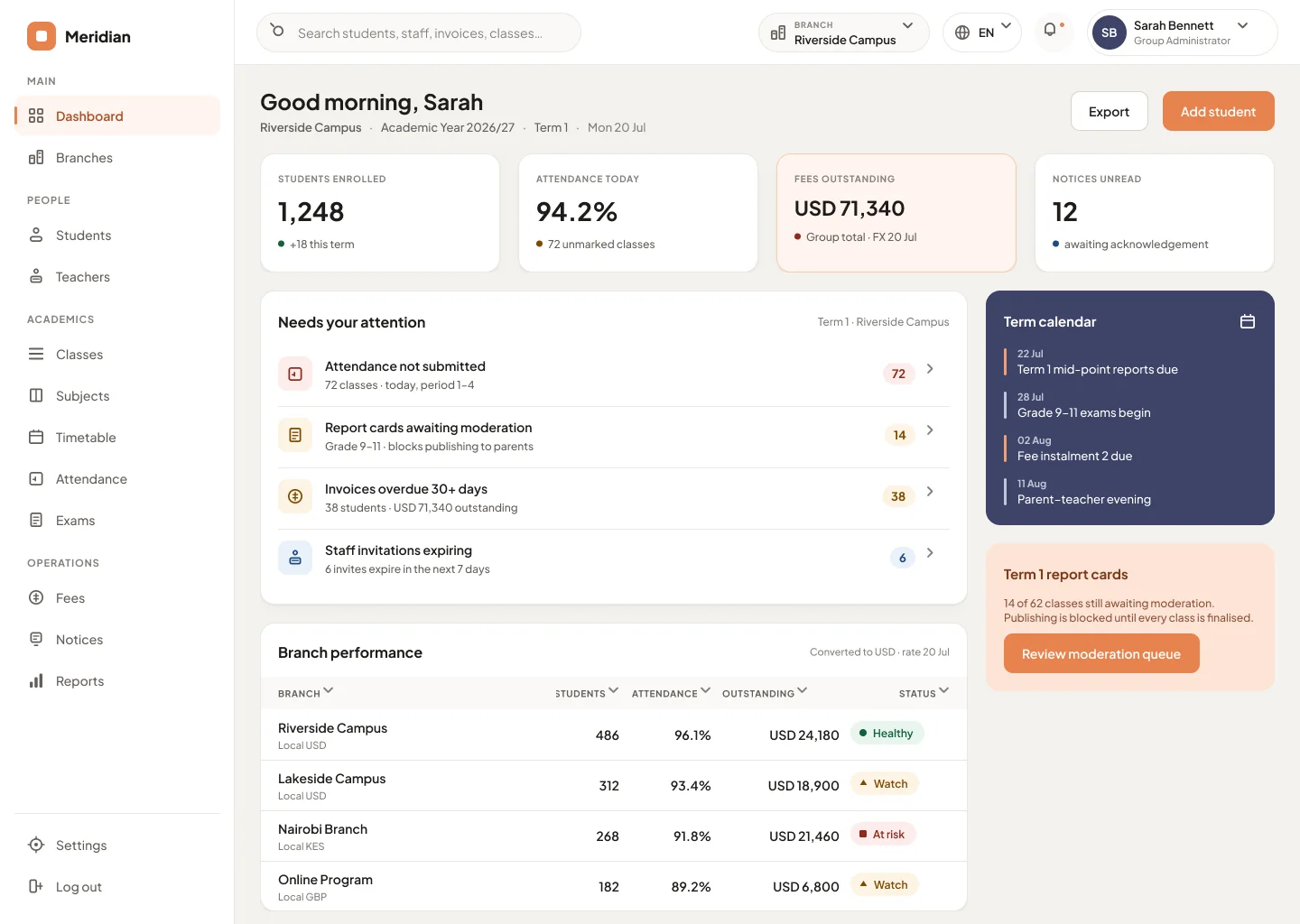
See every campus’s health, money and risk in a single view.
Manage people, classes, timetables, approvals and moderation.
Track who owes what — and whether the money reached the bank.
Take attendance and enter marks in seconds, from any device.
Check attendance, results, fees and notices — nothing they should not see.
Each campus keeps its own currency, calendar and staff. Classbell shows every branch in its local currency and a converted group total — always with the exchange-rate date it used. Switch scope from the top bar to focus any screen on a single campus.
More on multi-campus school management and how multi-currency school fees are invoiced and reconciled.
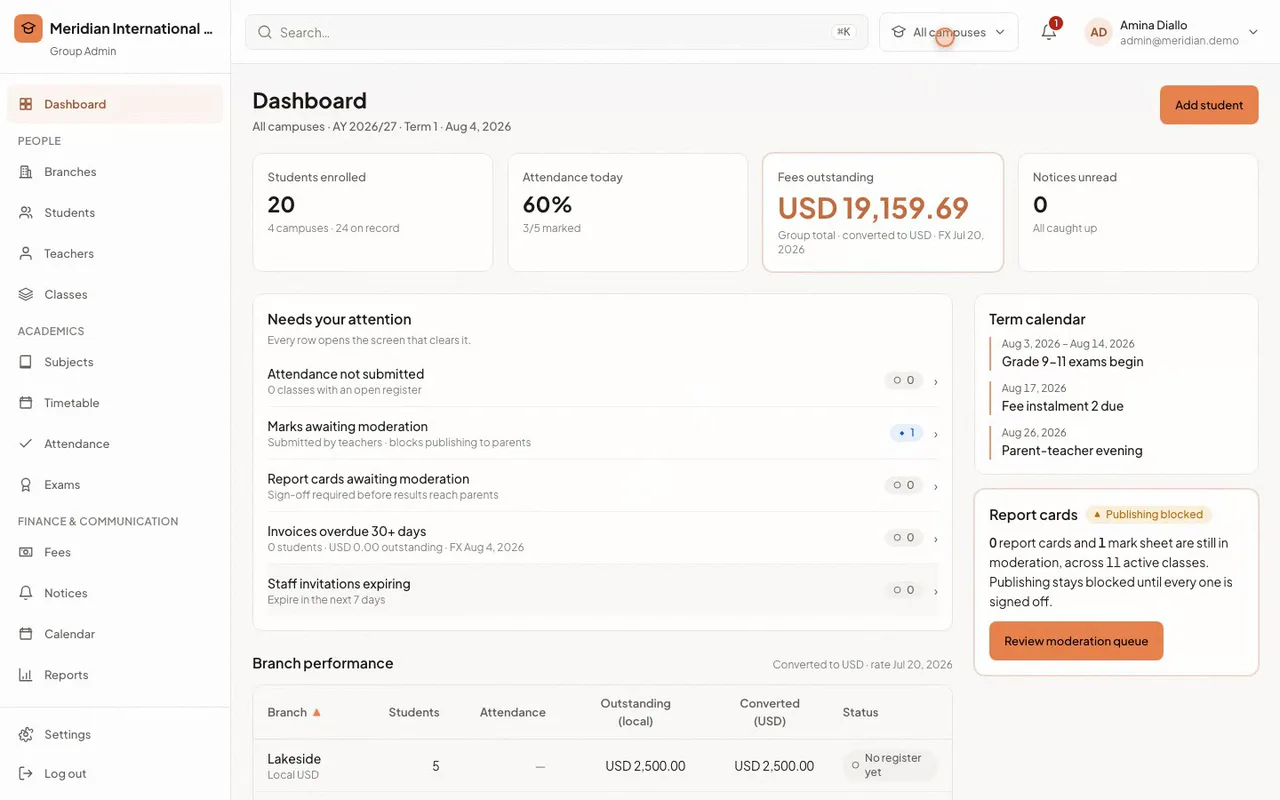
Everyone sees exactly what they need — and nothing they should not. Switch a tab to see how each role uses Classbell.
A triage dashboard, not a wall of charts: four KPIs, a real work queue of unsubmitted registers and overdue invoices, and every branch’s performance in its own currency.
Used by group and campus administrators
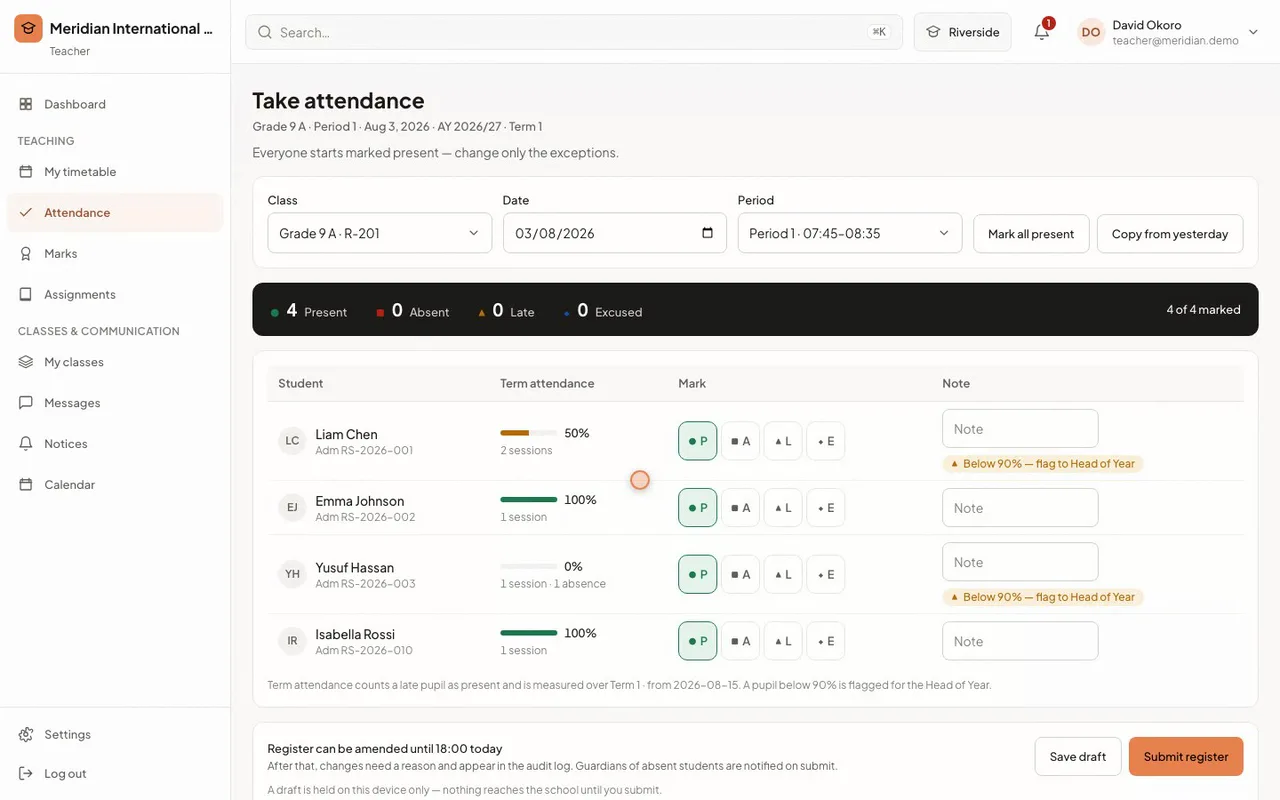
Everyone starts present — the teacher only flags exceptions. A 44px present / absent / late / excused control, a live tally, and autosave that works offline. Guardians of absent students are notified the moment the register is submitted.
Used by class teachers and heads of year
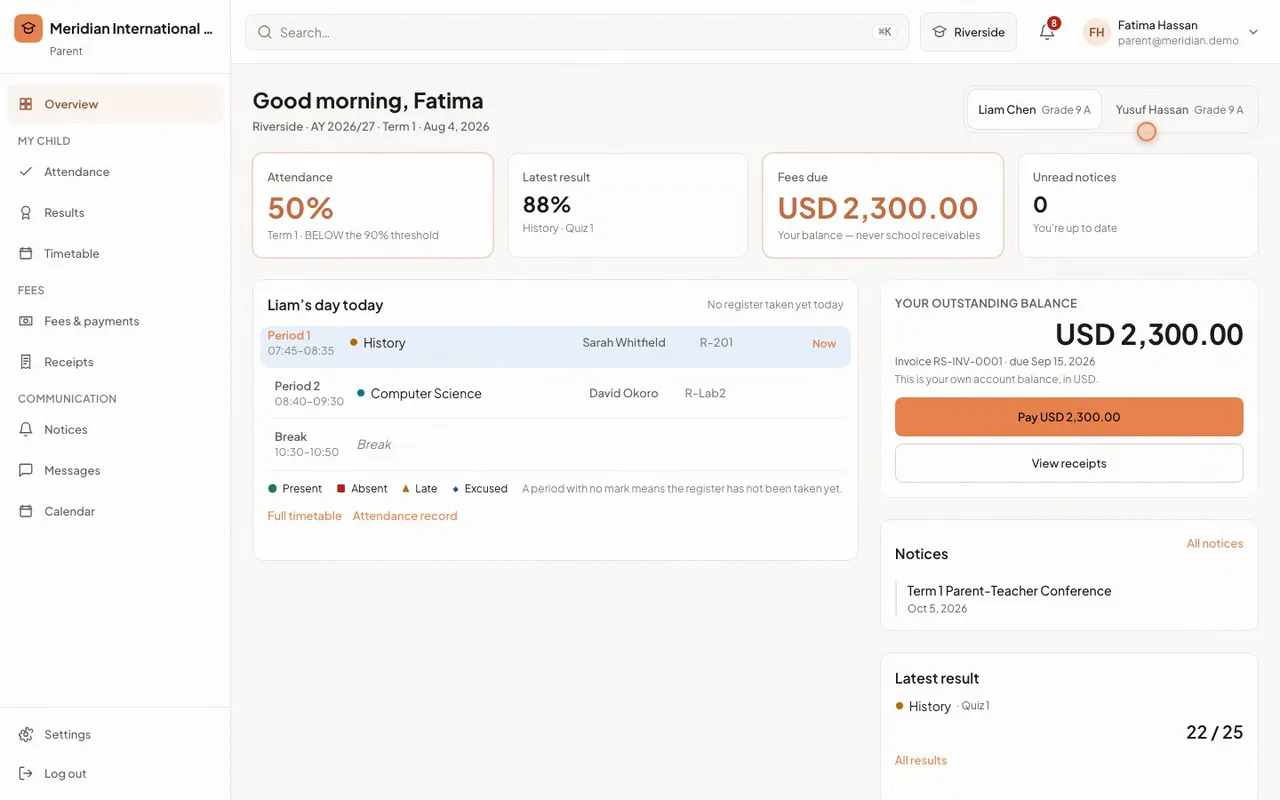
Attendance against the threshold, the latest result with the class average, their own outstanding balance — never school receivables — and notices that need acknowledging.
Used by parents and guardians
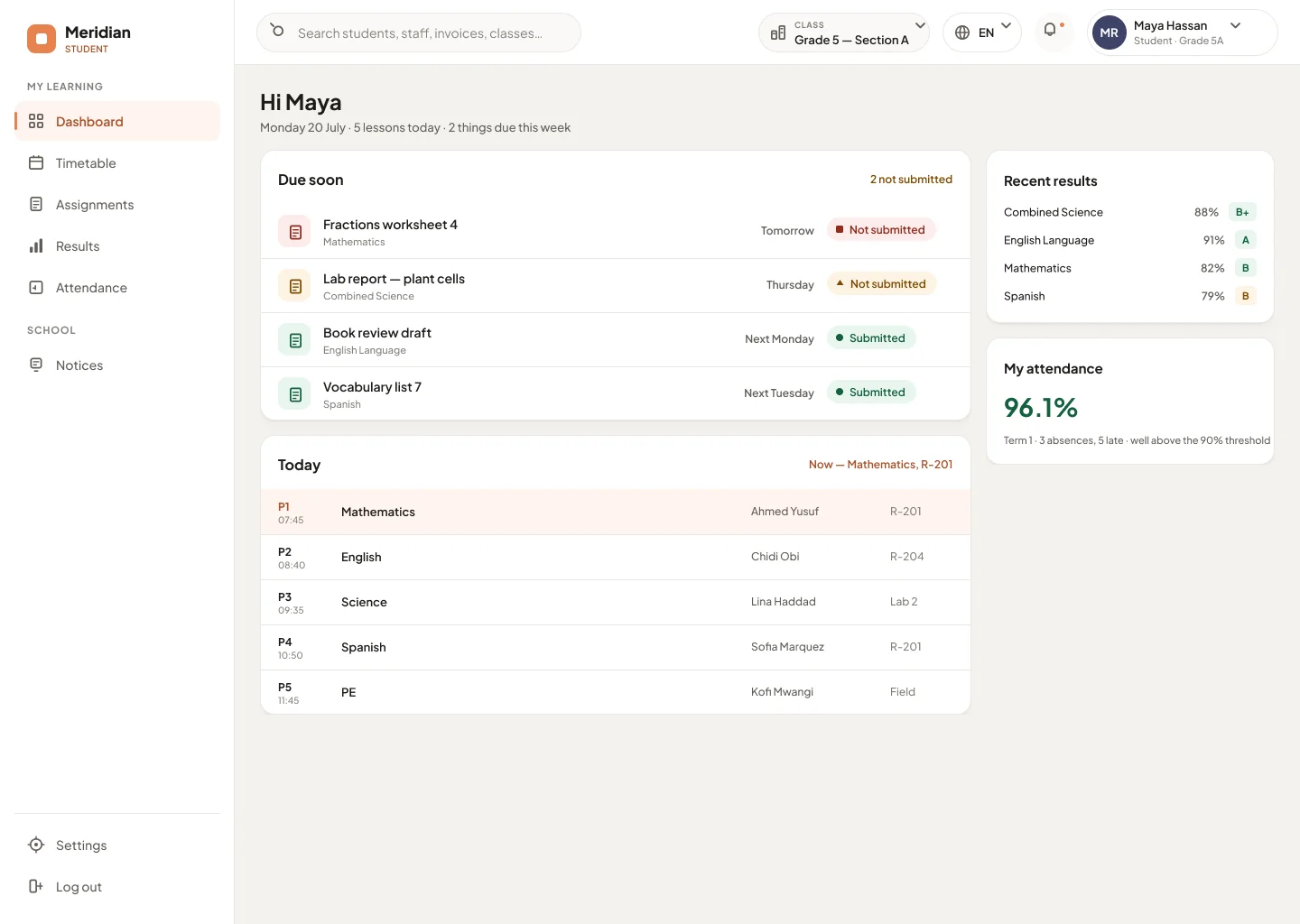
“Due soon” comes first, then today’s timetable with the current period highlighted, recent results and their own attendance. Students see no school finances and no other students’ records.
Used by students
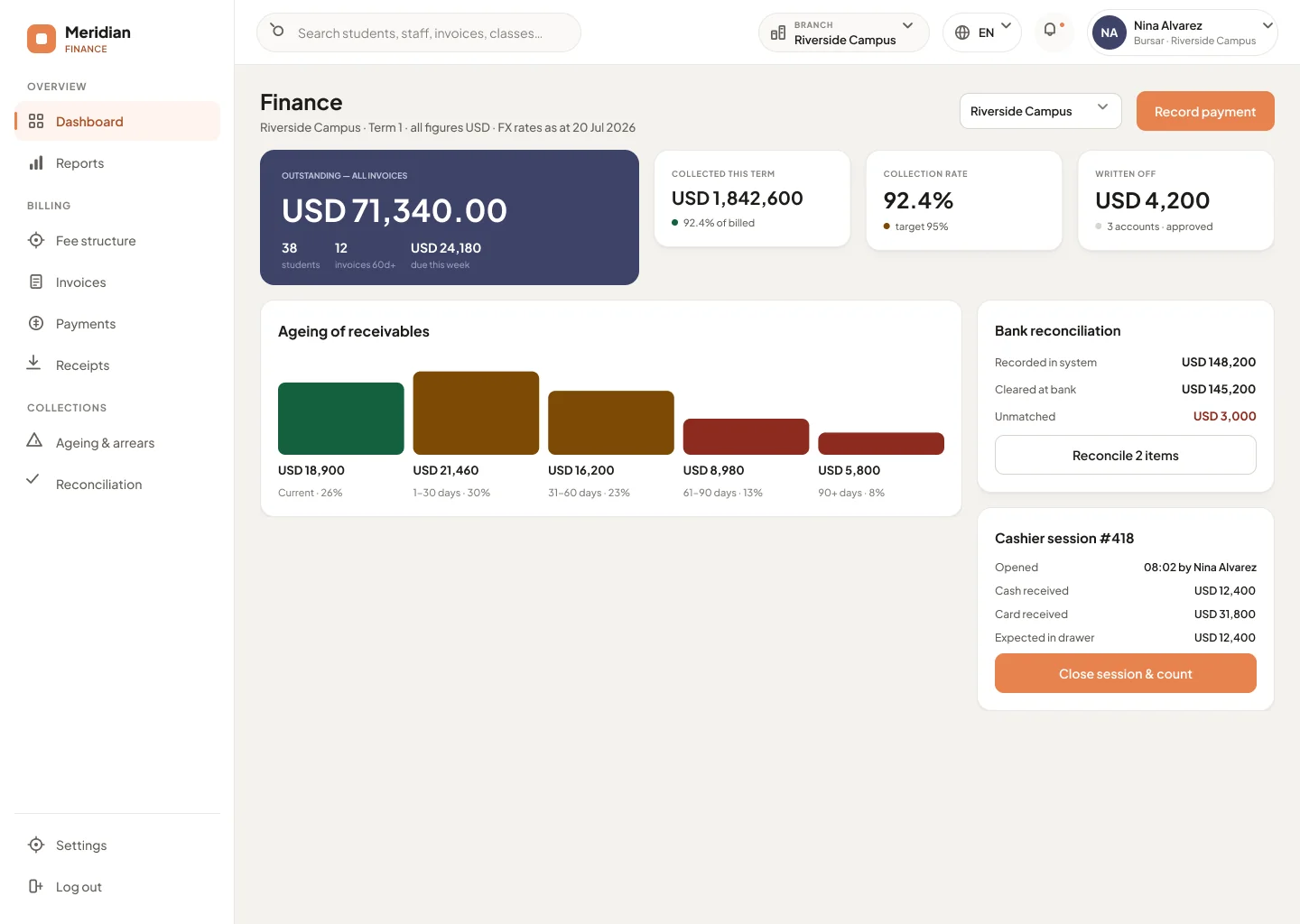
Outstanding and collected at the top, ageing buckets from current to ninety-plus days, and a bank-reconciliation summary that flags cash recorded on site but not yet cleared.
Used by bursars and finance controllers
Each feature encodes a real rule schools depend on — not just a screen. Here is how the most important ones work.
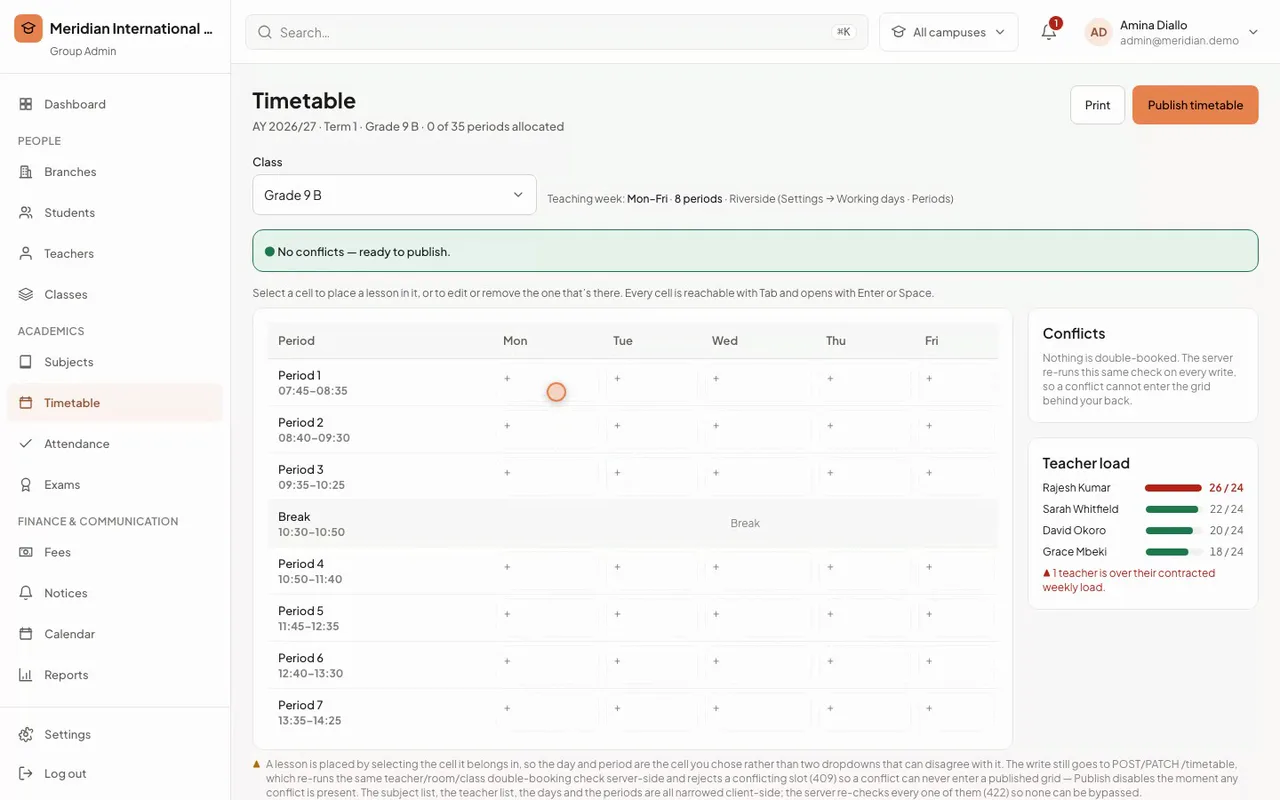
Build the weekly grid across days and periods. Classbell detects teacher double-bookings and room clashes and blocks publishing until they are resolved — and shows who is over their contracted load.
Used by principals and timetable leads
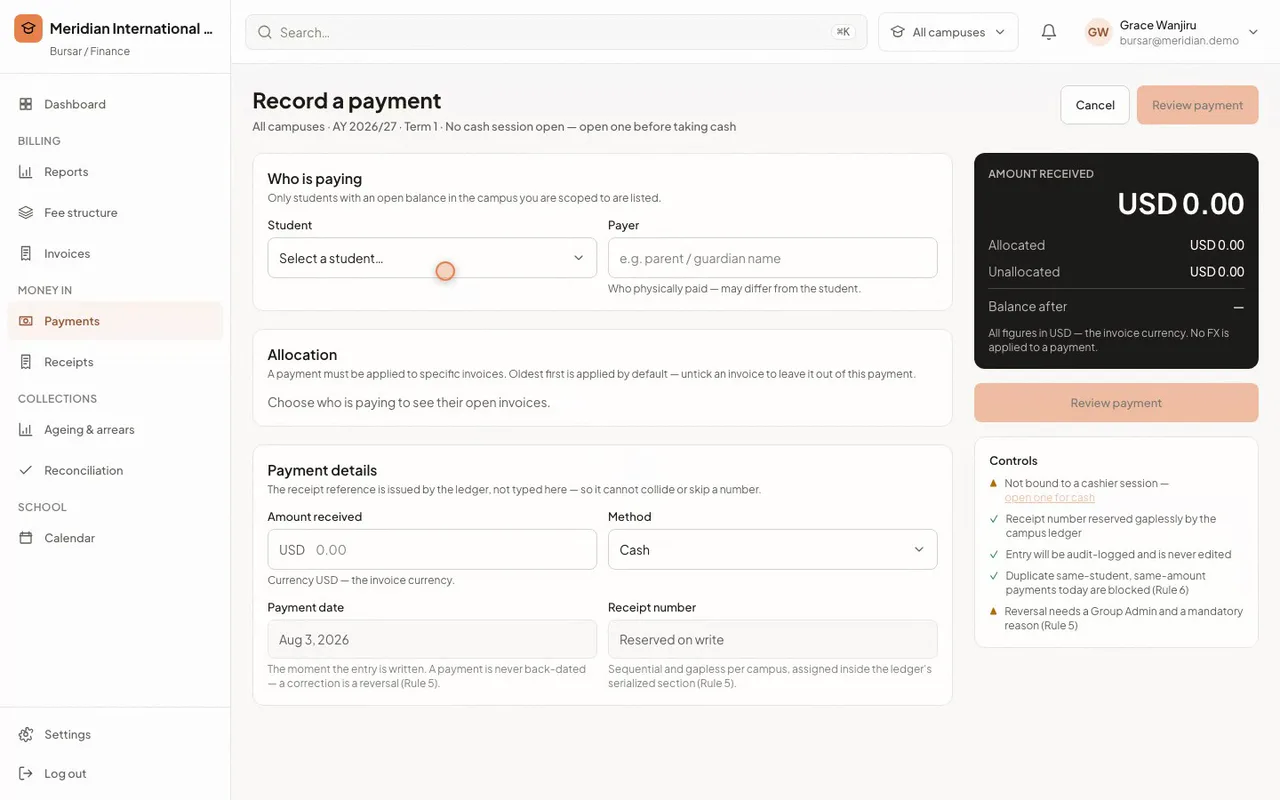
Allocate a payment against specific invoices, oldest first. Receipt numbers are gapless, duplicate payments are caught before the ledger is written, and a reversal always leaves a trail — it needs a Group Admin.
Used by bursars and cashiers
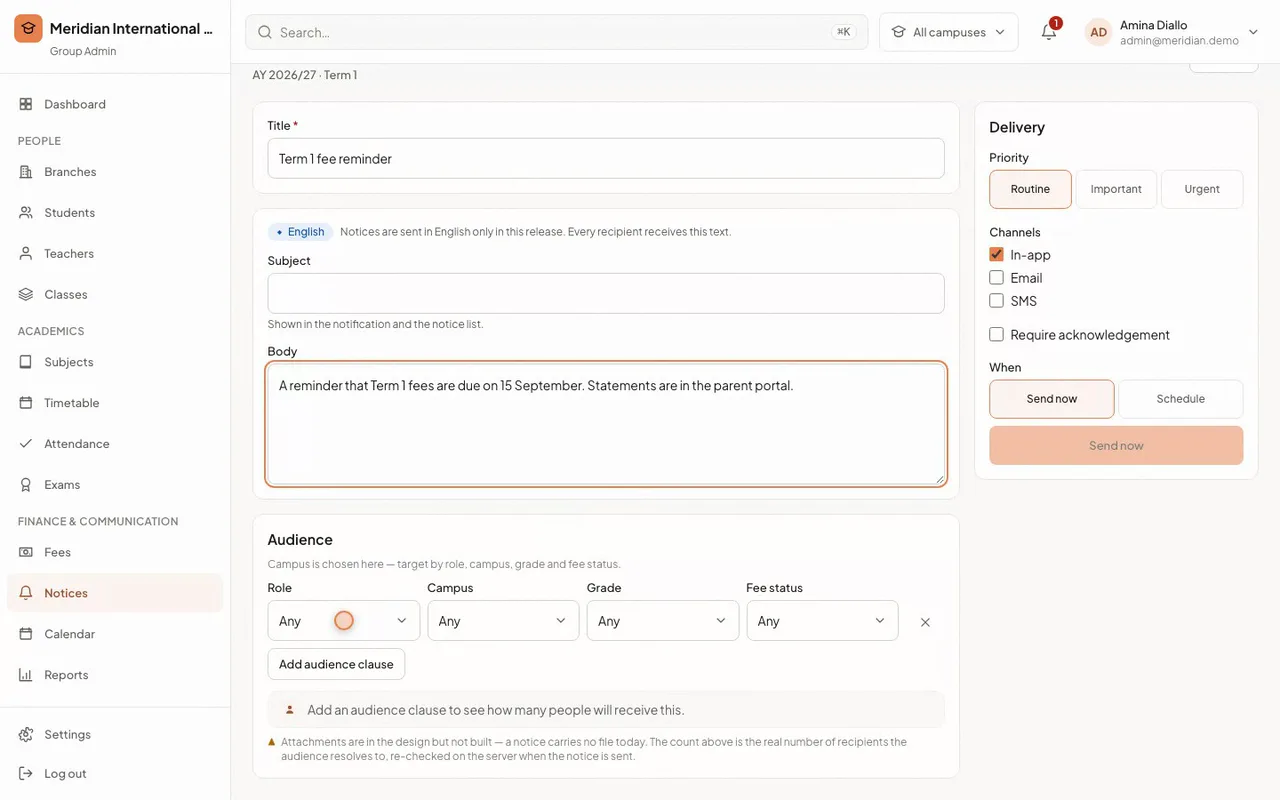
Build an audience by role, campus, grade and fee status and see a live count of who will receive it. Require acknowledgement when it matters, and track read rates afterwards.
Used by administrators and communications leads
Outstanding, collected and collection-rate sit at the top; ageing buckets run from current to ninety-plus days; and a bank-reconciliation summary flags cash recorded on site that has not yet cleared.
Used by bursars and finance controllers
One connected flow across roles — no re-keying, no exports, no lost marks. Each step hands off to the next automatically.
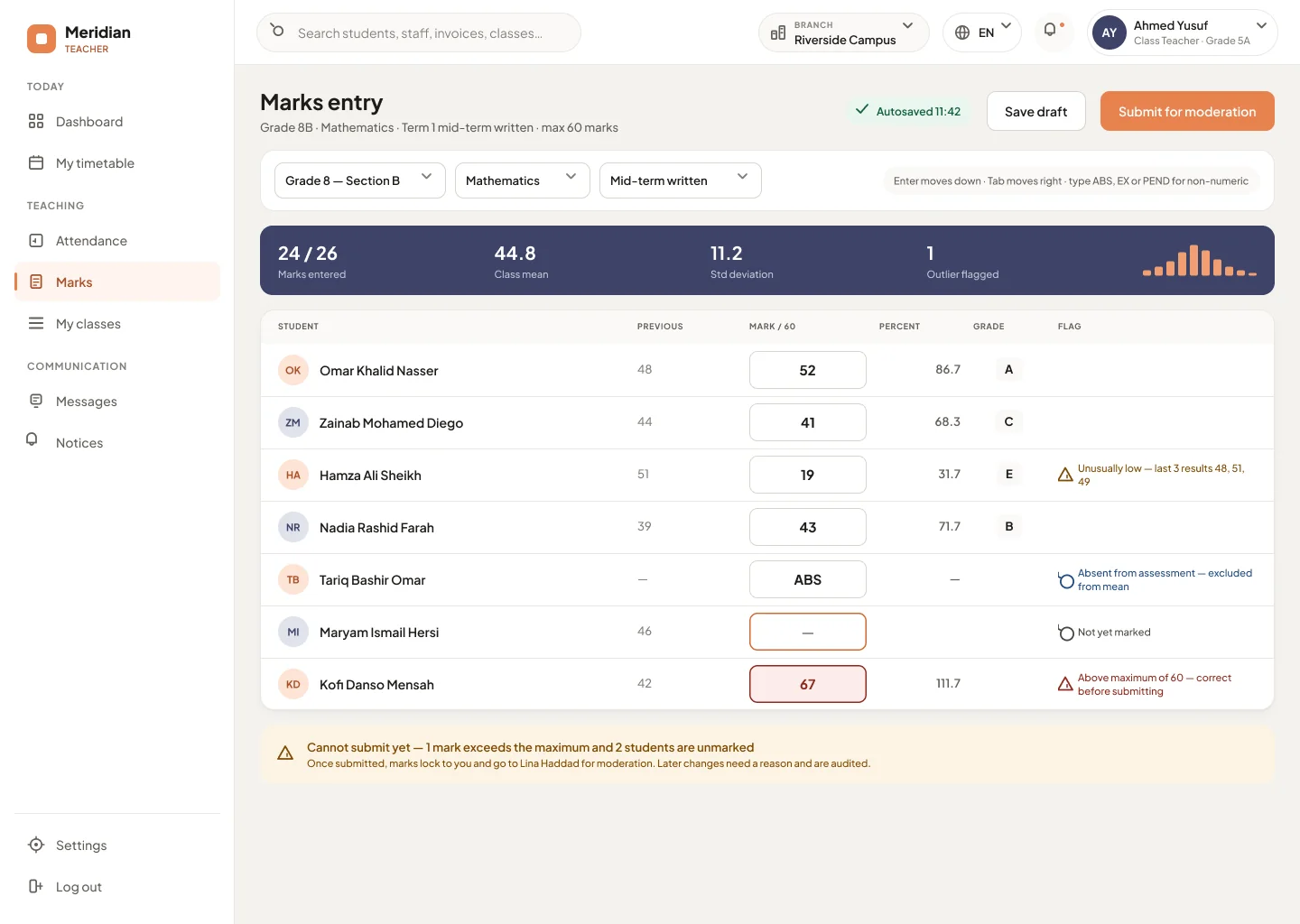
Marks are typed in a fast grid. On submit they lock to the teacher and go to a named moderator.
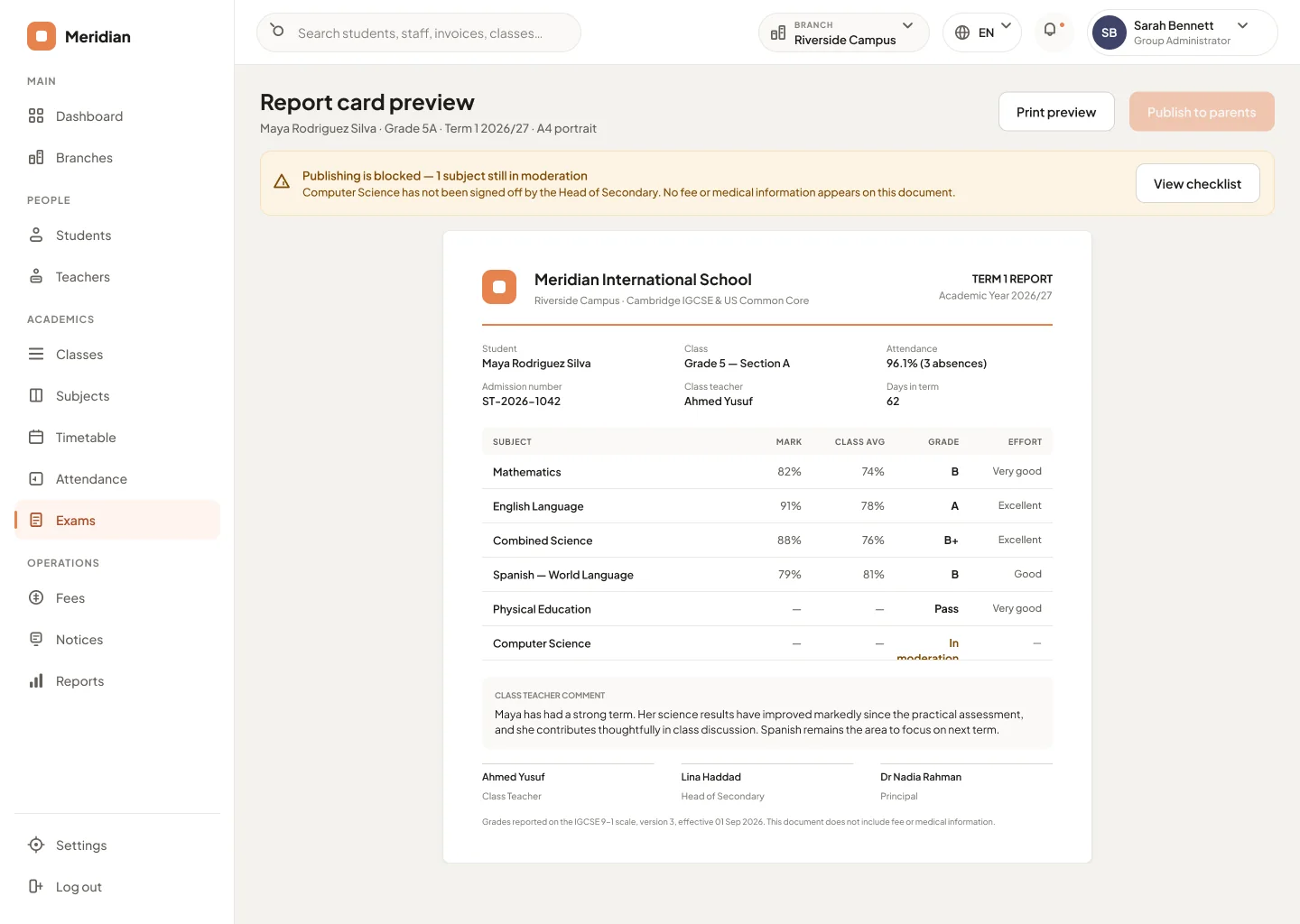
Nothing publishes until every class is moderated and signed off — and results are never withheld for unpaid fees.
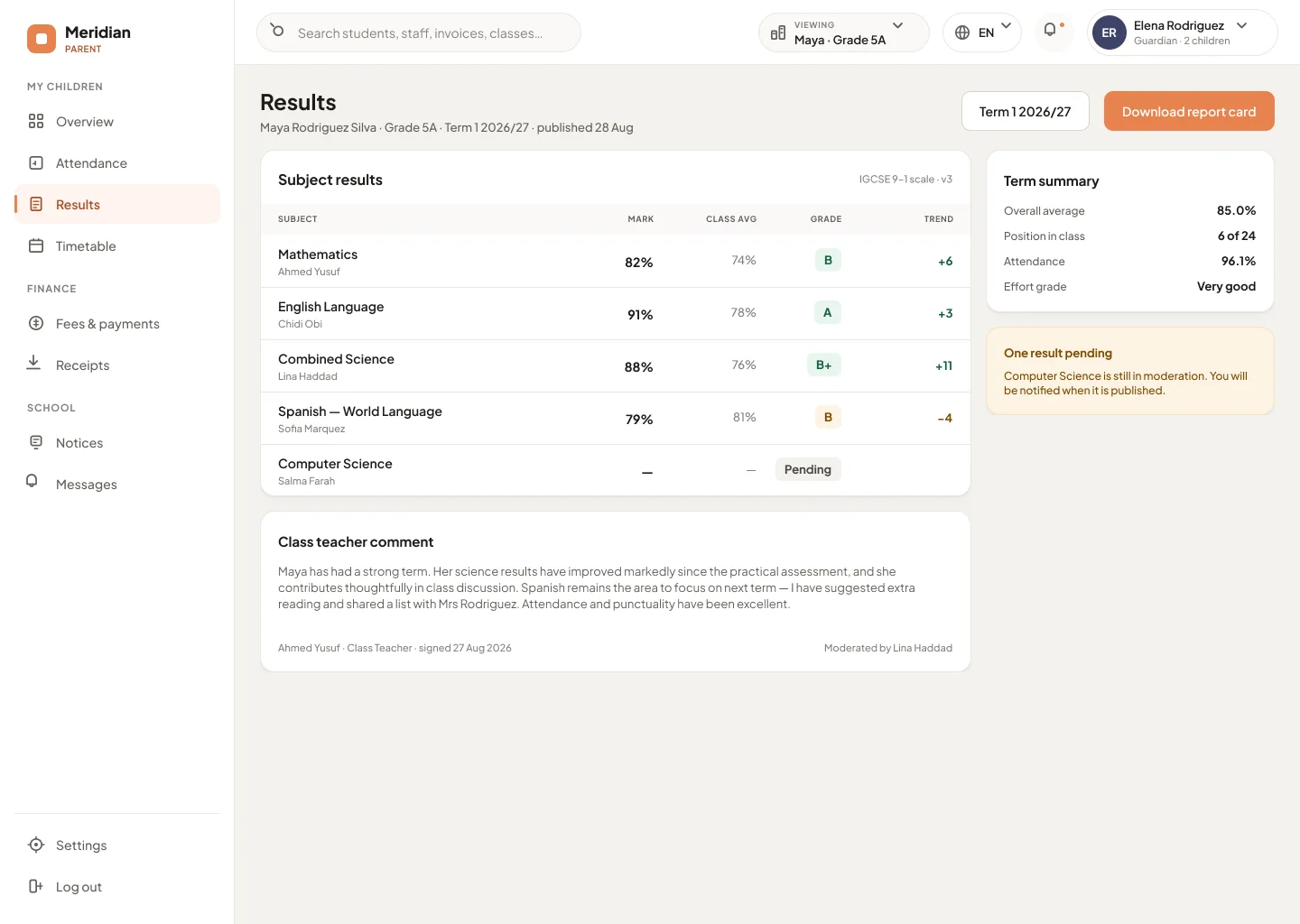
Parents and students see the mark, class average and grade, with a full audit trail behind it.
In more detail: school attendance management, timetable software that refuses a clash and report cards with moderation.
Classbell is sold as your product, not ours. Set one brand colour and the whole system re-themes — screens, receipts and report cards.
See how this works for an international school management system running several curricula and currencies at once.
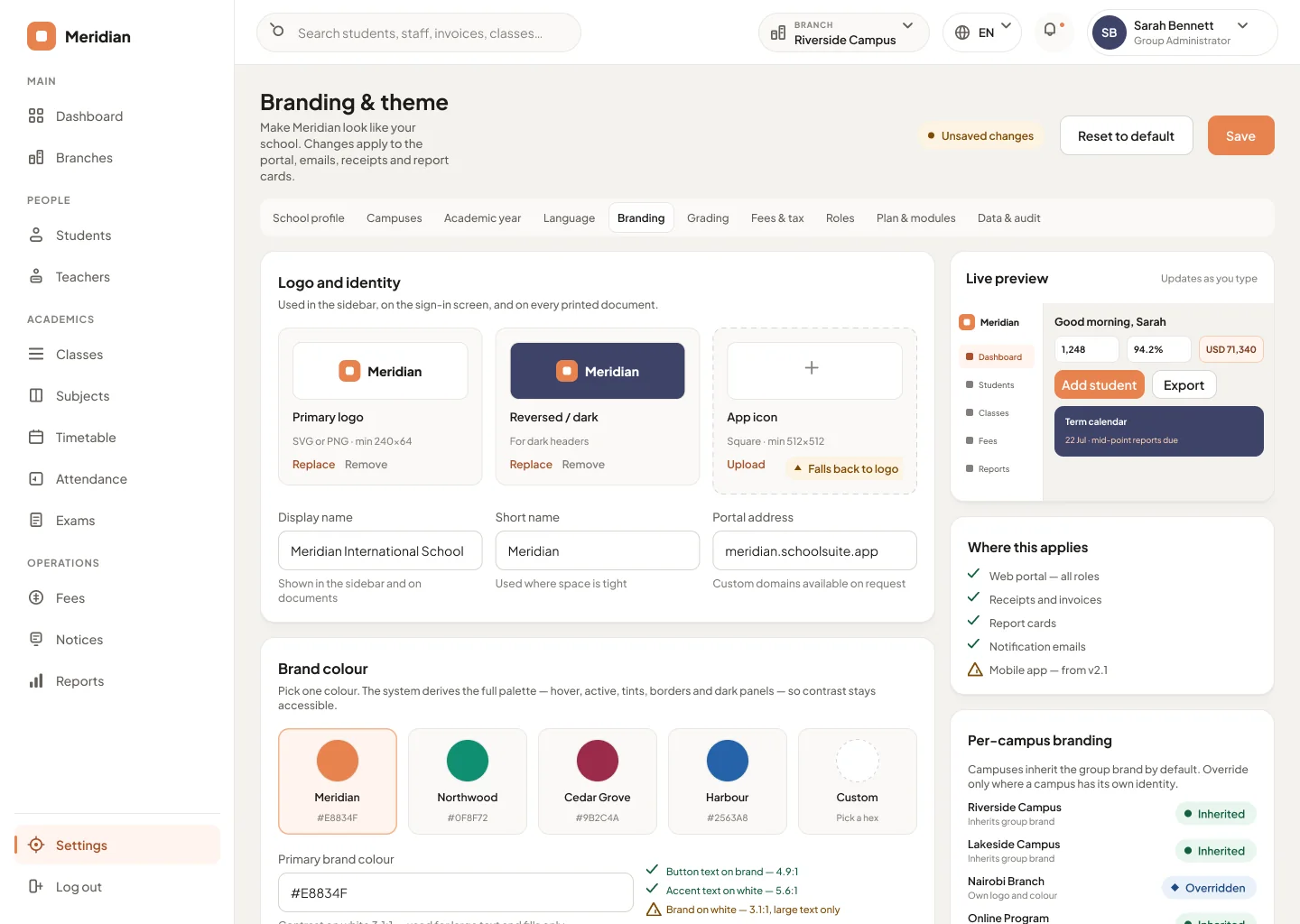
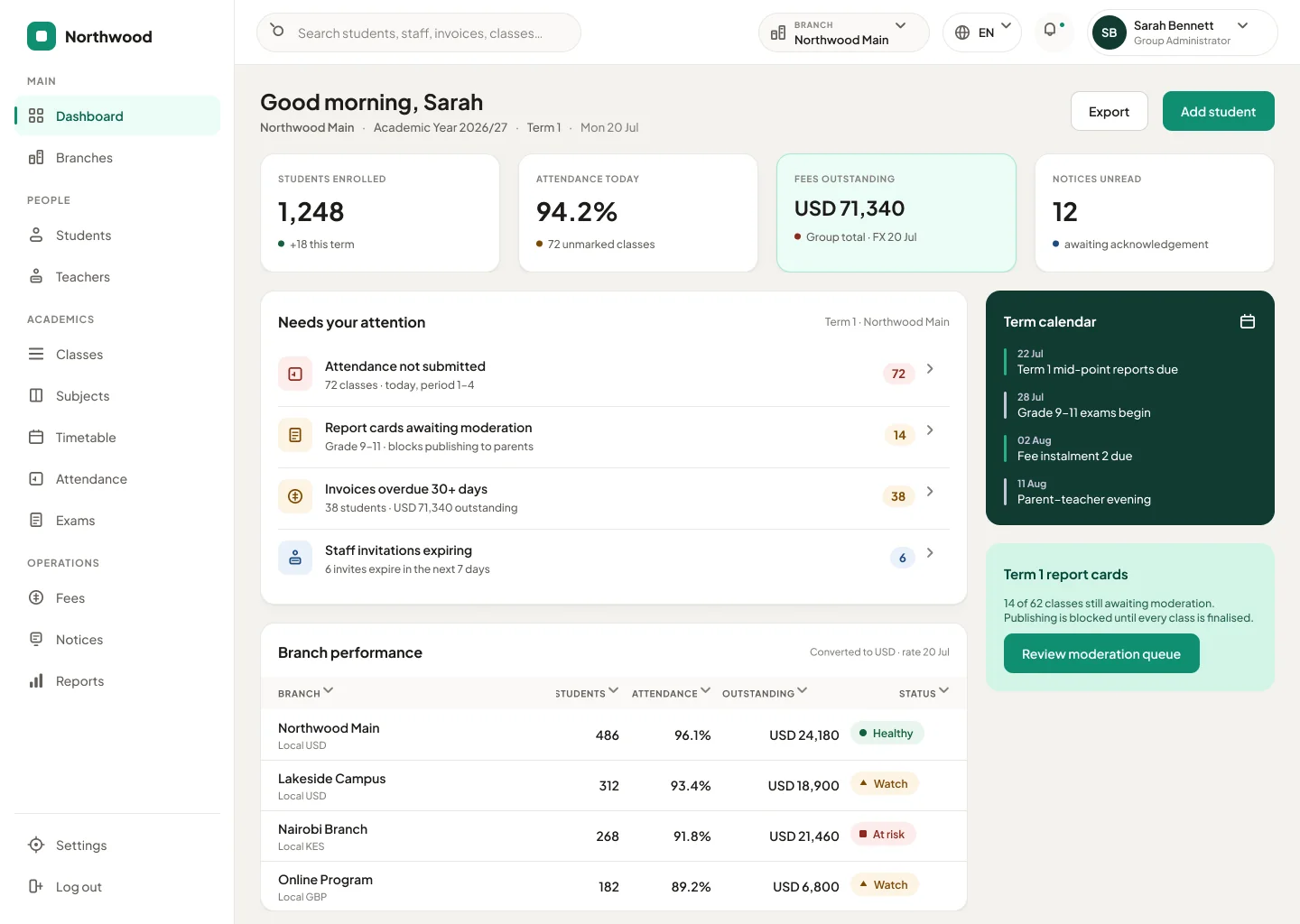
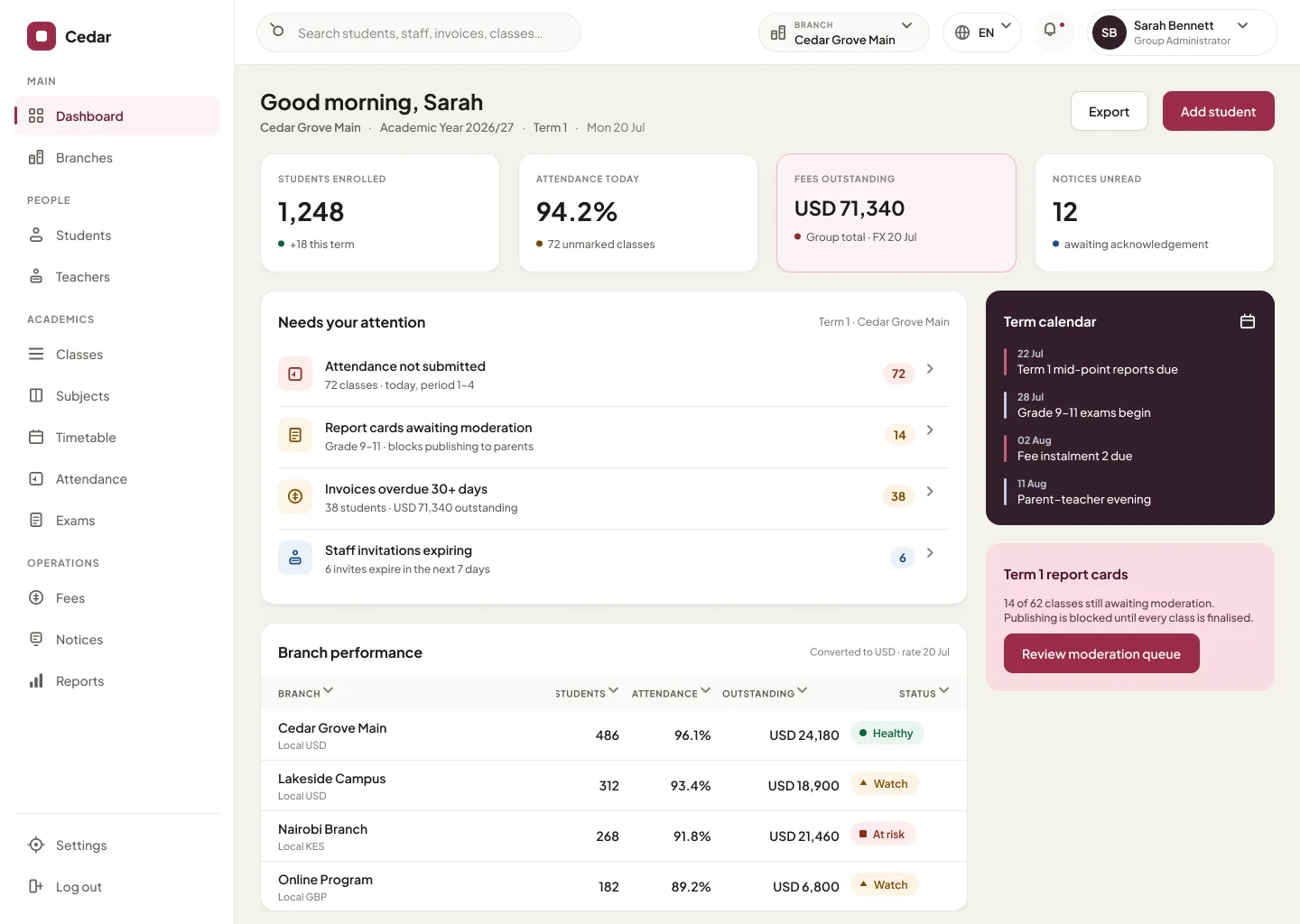
The same dashboard, re-themed per school
A native app for the people who are rarely at a desk — a register in the corridor, fees paid from the car park, results read on the bus.
Most school groups run on spreadsheets and a patchwork of single-purpose apps that never talk to each other. Classbell is one connected place.
Without Classbell
With Classbell
These are not settings buried in a menu — they are how the product behaves by default, because schools are held to a higher bar.
Students see no school finances and no other students’ records. Parents see only their own child’s balance.
Gapless receipts, duplicate detection, and reversals that leave a trail instead of a silent delete.
Report cards are never withheld for unpaid fees. It is configurable — and off by default.
Who changed what, the value before and after, and when — kept for years, immutable.
Every total states its currency and the exchange-rate date it used. Local sits beside converted.
Turn a module off and its data is retained, not deleted. Export whenever you need to.
No trial — you are live the day you pay. Switch between monthly and annual billing to compare.
$99/mo · USD
$79/mo · USD
$948 billed annually
Save $240 (20%) a year
One campus, the whole school day. Students, staff, attendance, timetable, exams and fees — everything a single-site school runs on.
Core
Included:Students · Staff · Classes & subjects · Attendance · Communication
Academics
Included:Timetable · Exams & marks · Report cards · Assignments
Finance
Included:Fees & invoicing · Payments & receipts
Not included:Ageing & collections · Reconciliation
Add-ons
Not included:Admissions · Transport · Library · Boarding
$299/mo · USD
$249/mo · USD
$2,988 billed annually
Save $600 (17%) a year
Up to three campuses, in their own currencies. Adds collections and bank reconciliation for a finance office that has to chase money, and your brand colour across the portal.
Core
Included:Students · Staff · Classes & subjects · Attendance · Communication
Academics
Included:Timetable · Exams & marks · Report cards · Assignments
Finance
Included:Fees & invoicing · Payments & receipts · Ageing & collections · Reconciliation
Add-ons
Add-on:Admissions · Transport · Library · Boarding
$1,199/mo · USD
$999/mo · USD
$3,996 charged every 4 months
Save $800 (17%) per charge
Unlimited campuses, students and staff, every add-on included, and per-campus branding with custom domains. For groups that run schools in more than one country.
Core
Included:Students · Staff · Classes & subjects · Attendance · Communication
Academics
Included:Timetable · Exams & marks · Report cards · Assignments
Finance
Included:Fees & invoicing · Payments & receipts · Ageing & collections · Reconciliation
Add-ons
Included:Admissions · Transport · Library · Boarding
IncludedAvailable as an add-onNot in this package
Paying by invoice or purchase order? Talk to us
How school management system pricing works — what drives the number, what happens when packages are repriced, and why there is no trial.
Yes — Classbell is multi-campus by default. Every record is scoped to a campus, each keeps its own currency and calendar, and group admins see a converted total across all of them. Start with one campus and add more anytime.
You can build your whole setup before you pay — school details, campuses, grades and academic structure — so you see Classbell configured for your own group before committing to a plan. Setting Classbell up alongside your current system touches nothing in it; you are not committed to anything until you choose a plan and pay.
There is no free trial — you pay to run Classbell. Setup comes first: you enter your school details, campuses and grades, then pick a plan and pay by card to go live, so nothing is charged until you choose one and there is no trial to expire. Schools that need to pay by invoice or purchase order can contact us to arrange it.
Every record is scoped and permissioned. Students never see school finances or other students, parents see only their own child, and every change is written to an immutable audit trail. Turning a module off retains its data.
Yes. Set one brand colour and upload your logo, and the whole system re-themes — including receipts and report cards. On the Scale plan each campus can carry its own brand and a custom domain.
Each campus runs in its own currency, and every group total shows the currency and exchange-rate date it used. The interface ships in English, with right-to-left layout built in and proven.
Tell us. Classbell is built by a small team, so a request reaches the person who writes the code rather than a backlog three layers away — and schools asking for what they actually need is how the product gets better. We will tell you honestly whether we can build it and roughly when.
Comparing systems? How to choose a school management system sets out the ten questions worth asking any vendor, and what a good answer to each one sounds like. If you are already shortlisting, see school management system alternatives and the seven criteria for the best system for a group.
Set up your school, invite your team, and go live — students, staff, timetabling, attendance, exams, fees and communication, in one place.